
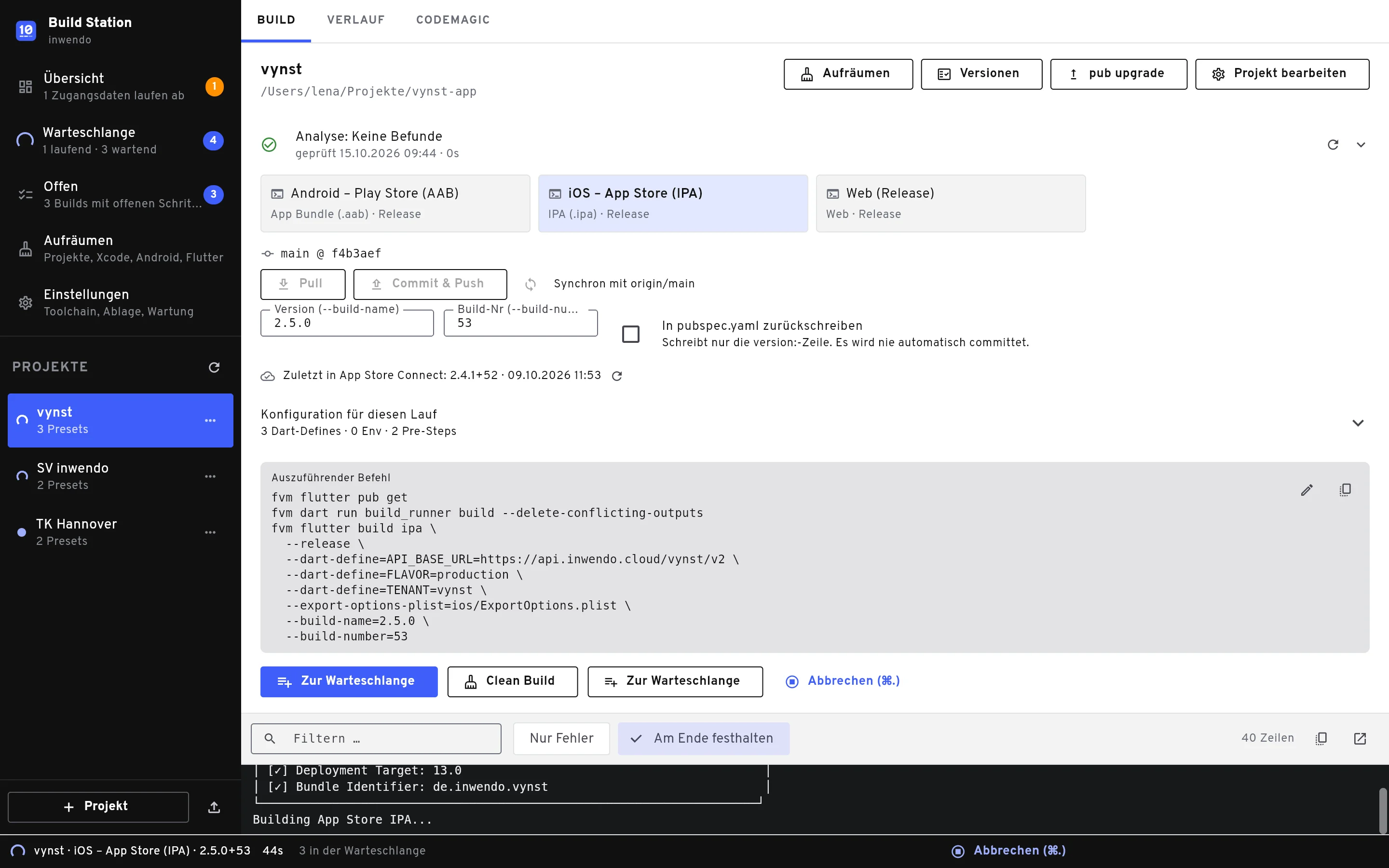
Flutter builds for every customer variant
The macOS app for teams shipping one app to many customers
The iw Build Station remembers how each variant is built, files the artifacts neatly and uploads them straight to the stores. No more cheat sheet of command lines, no more guessing which version a customer is running.
macOS 12 or later · Apple Silicon · free for personal use
Build
Presets per customer with environment variables, Dart defines and Flutter version. One click starts the build, and the queue works through several variants in a row.
Archive
Every artifact lands in a fixed, versioned folder, together with the exact command that ran, so every build stays reproducible in the terminal.
Upload
Straight to Google Play, App Store Connect and TestFlight, to the Microsoft Store, or signed and notarized for macOS, automatically after the build if you like.
What the Build Station does
Not a build system but a launcher with a memory: it runs fvm flutter build or your own script and takes care of everything before and after.
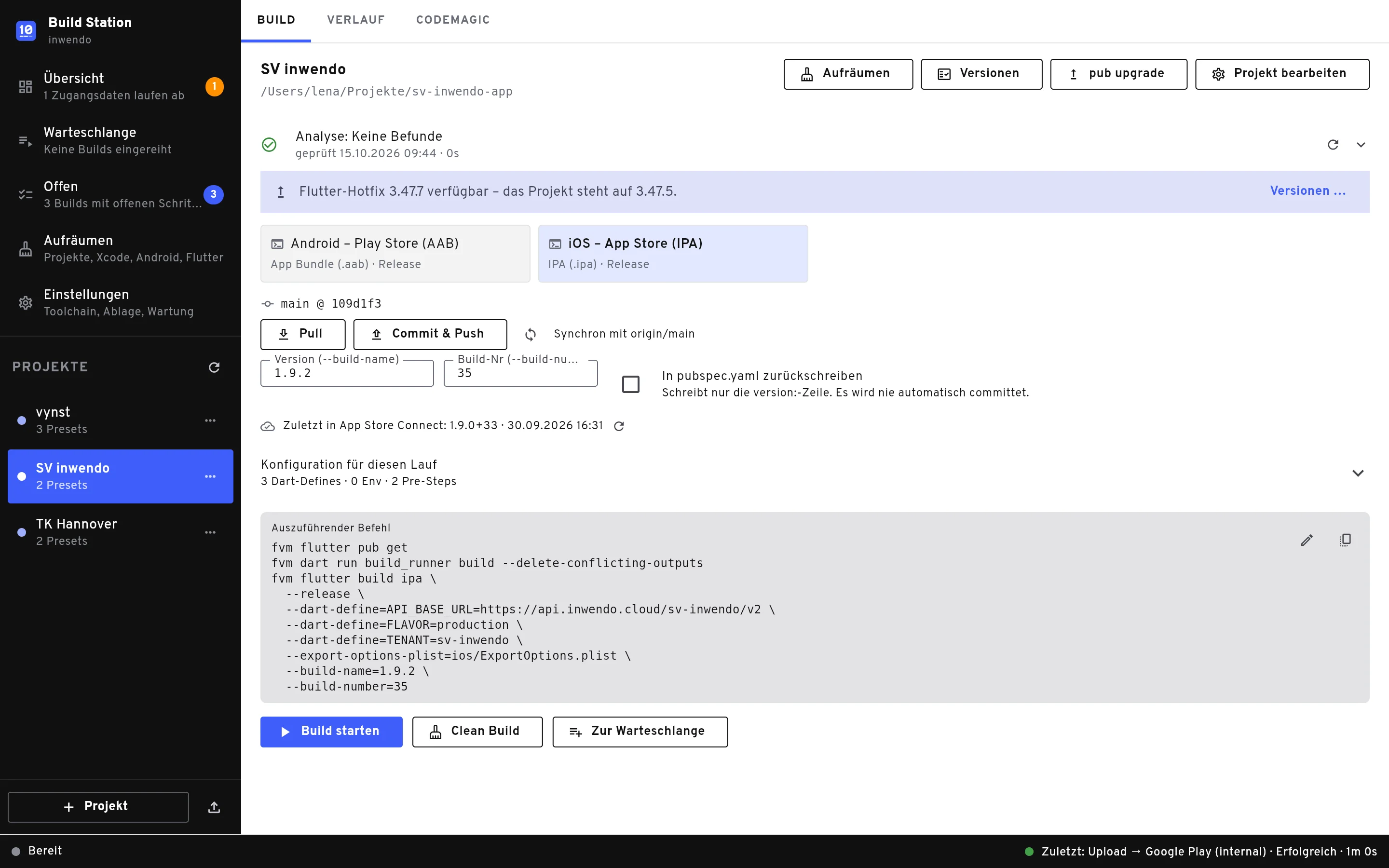
One project, many variants
Create a preset for each customer: platform, build mode, version, env and Dart defines. The wizard reads pubspec.yaml, the Gradle and Xcode projects and suggests matching presets. Two customers in one folder? Pin the project to a branch.
- Presets for Android, iOS, macOS, Windows and web
- Your own shell scripts as build step
- Check settings into the project as buildstation.json
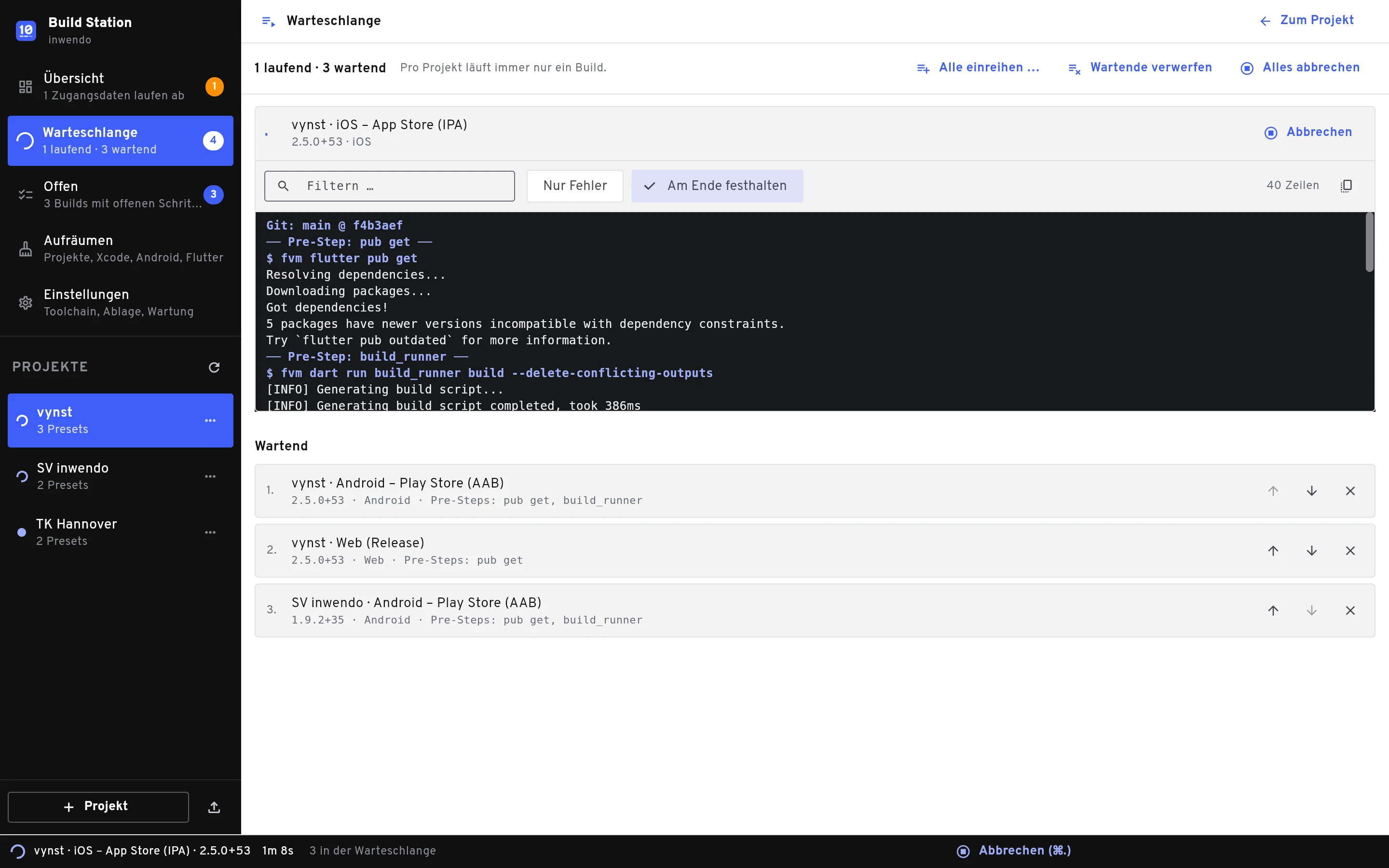
Queue and live log
Put all customer variants in the queue at once and upload them automatically afterwards. The log streams live, filters for errors and shows the command that really ran.
- Batch builds across all projects
- Analysis before the build
- Checklist per build under “Offen”
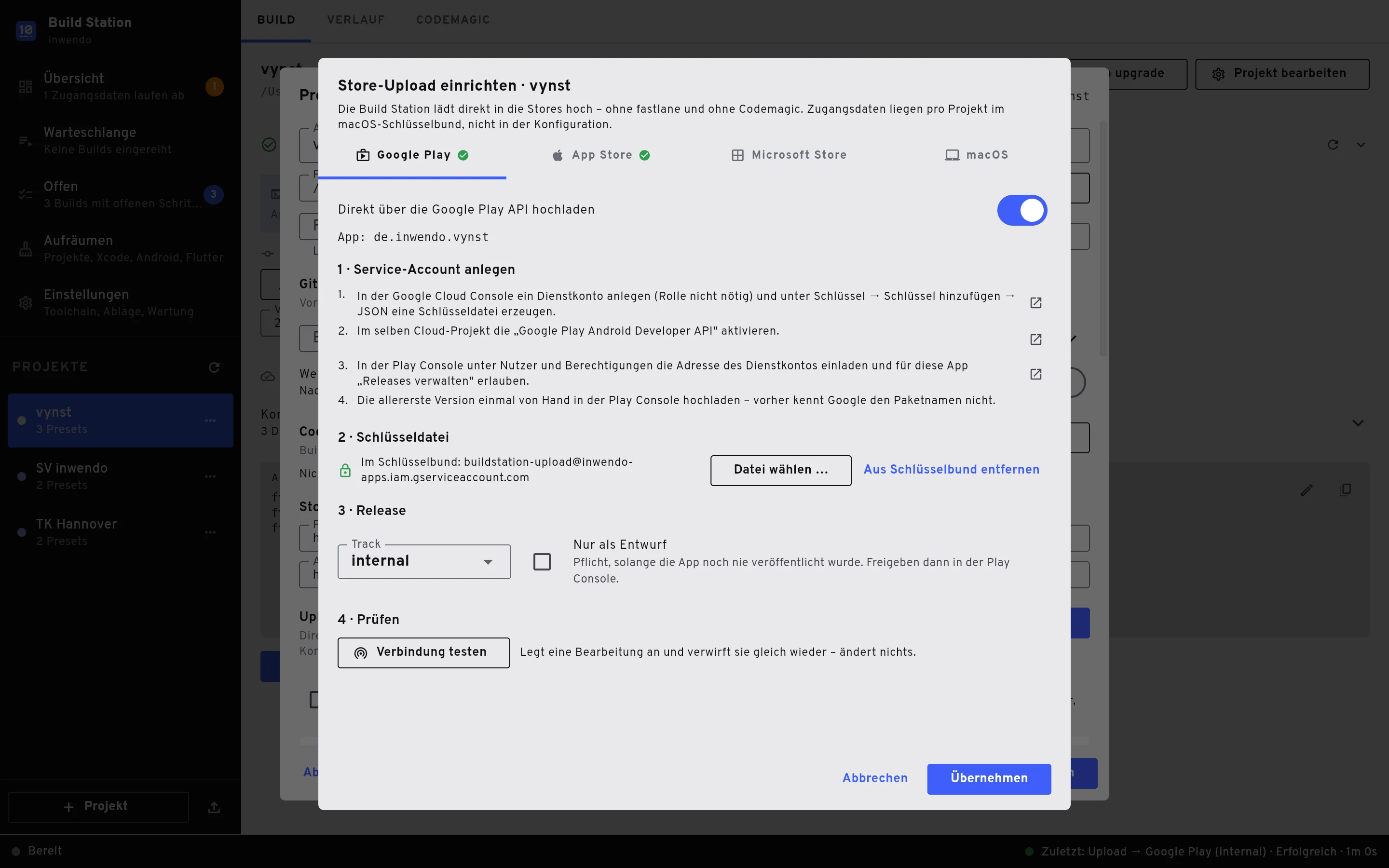
Store upload without detours
Google Play via API, App Store and TestFlight via altool, Microsoft Store via Partner Center, macOS as a notarized DMG. Credentials stay in your Mac’s keychain and only go to the services you set up.
- Release notes right at upload
- Git tag after every upload
- Warnings before certificates and keys expire
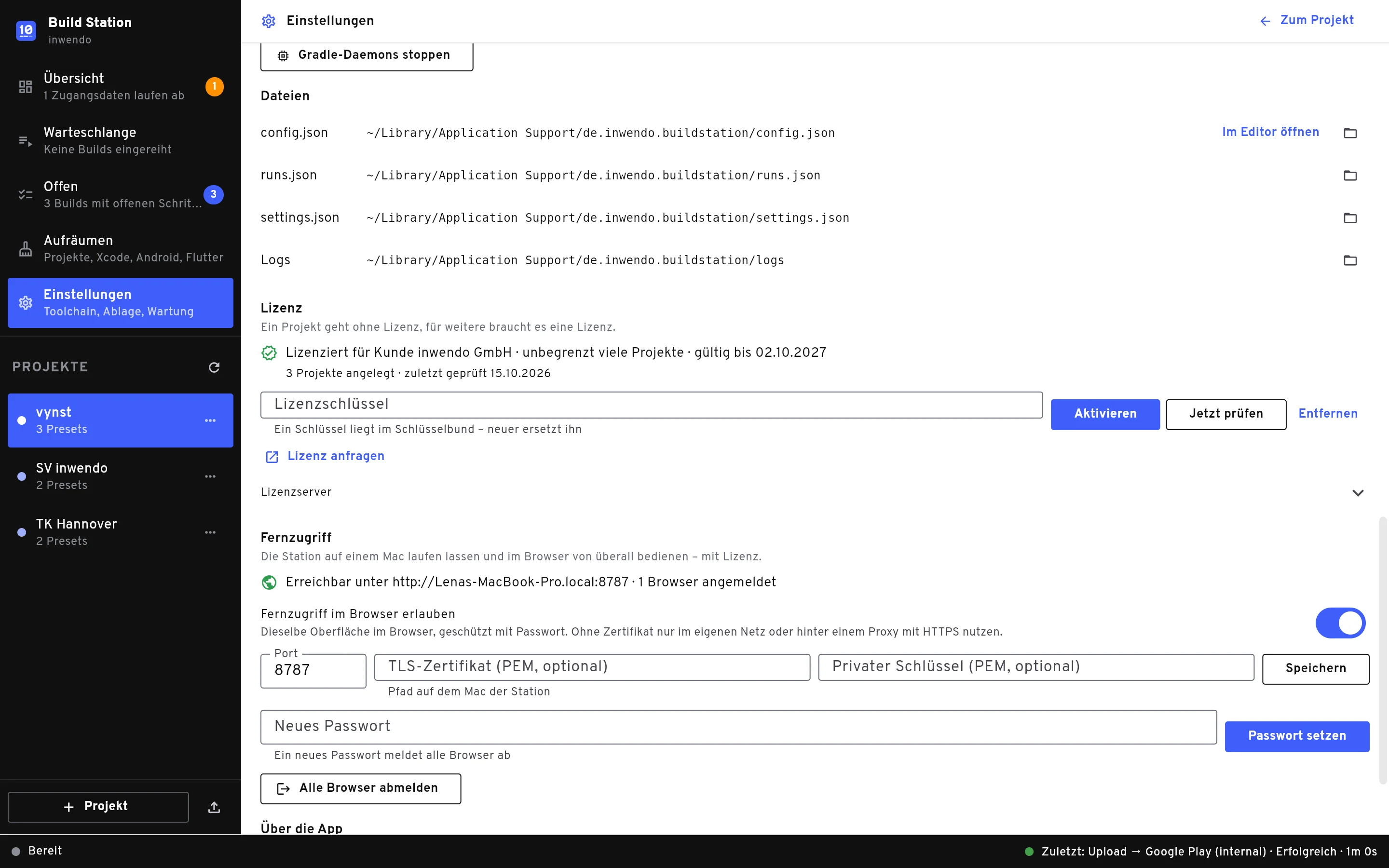
Remote access in the browser
Run the station on a Mac mini and use it from anywhere in the browser, with the same interface as the app. Protected by a password, available with a licence.
- Identical interface as a web app
- Download artifacts in the browser
- Codemagic and an MCP server for AI assistants
And when something goes wrong?
Understand and fix errors
The station recognises known failures and offers the fix. If you like, an AI proposes a change that you review before applying it.
Versions at a glance
Flutter updates, outdated packages, Android API levels and what each customer runs: all in one overview, before a store rejects a submission.
Free up space
Build folders, Xcode DerivedData, Gradle caches and old simulators: the station cleans them up selectively and shows beforehand what you gain.
What does the Build Station cost?
One project always works without a licence. More projects and remote access come with a licence.
Personal & inwendo customers
Free
For personal projects and for everyone whose apps are built with inwendo.
- Unlimited projects
- All upload targets
- Remote access in the browser
Companies & agencies
On request
For commercial use in your team. We will find a model that fits.
- Unlimited projects
- All upload targets
- Remote access and help with the setup
Frequently asked questions
Does the Build Station replace a CI pipeline?
No. It is made for builds that run rarely and with individual settings, such as a customer variant shortly before release. For fully automated pipelines it connects to Codemagic.
Which platforms can I build?
Everything Flutter can build on a Mac: Android (APK, AAB), iOS (IPA), macOS, web and, with your own script, other targets. The app itself runs on macOS 12 or later.
Where are my credentials stored?
In your Mac’s keychain. The Build Station only sends them to the services you set up yourself: Apple, Google, Microsoft, GitHub, Codemagic or your webhook.
Why isn’t the Build Station in the Mac App Store?
The Mac App Store requires a sandbox that forbids launching Flutter, Xcode and Gradle. That is why the app comes as a signed and notarized DMG.
Do I need a licence?
Not for one project. A licence key unlocks more projects and remote access in the browser. It is free for personal use and for inwendo customers; companies ask for a quote.
Is the app available in English?
The interface is in German for now; it was built for a German-speaking team. The labels are short and the docs on this site are available in English, so you can find your way around.
Ready for your next release?
Download the Build Station and create your first project. The docs walk you through the setup.